1. Added Help widget in the bottom-right corner for quick support access:
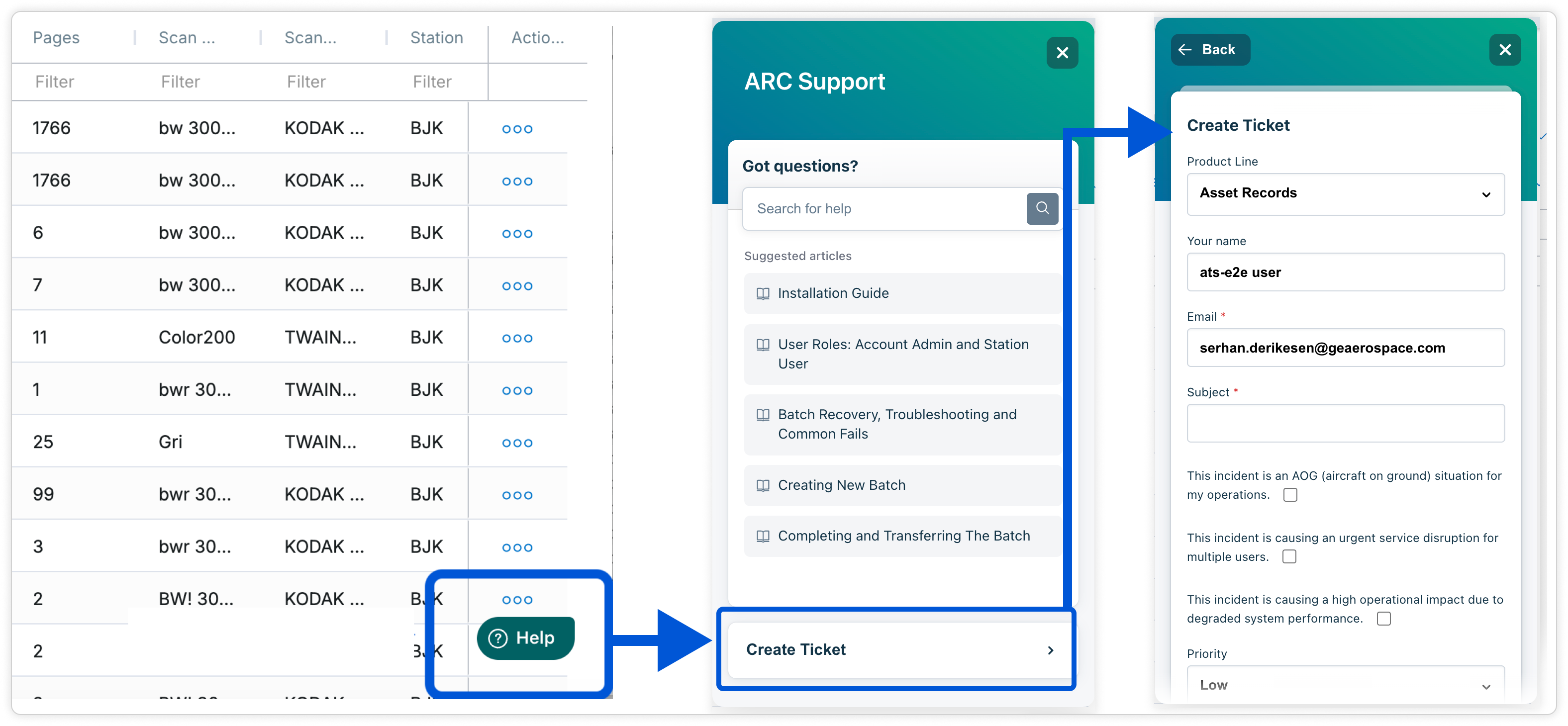
By clicking Help and then selecting Create Ticket, users can quickly reach our support team directly from ARC and request support without a separate login.
You can also easily access the User Guide and Training Materials inside ARC. All guides are updated with the latest information and an additional search feature.
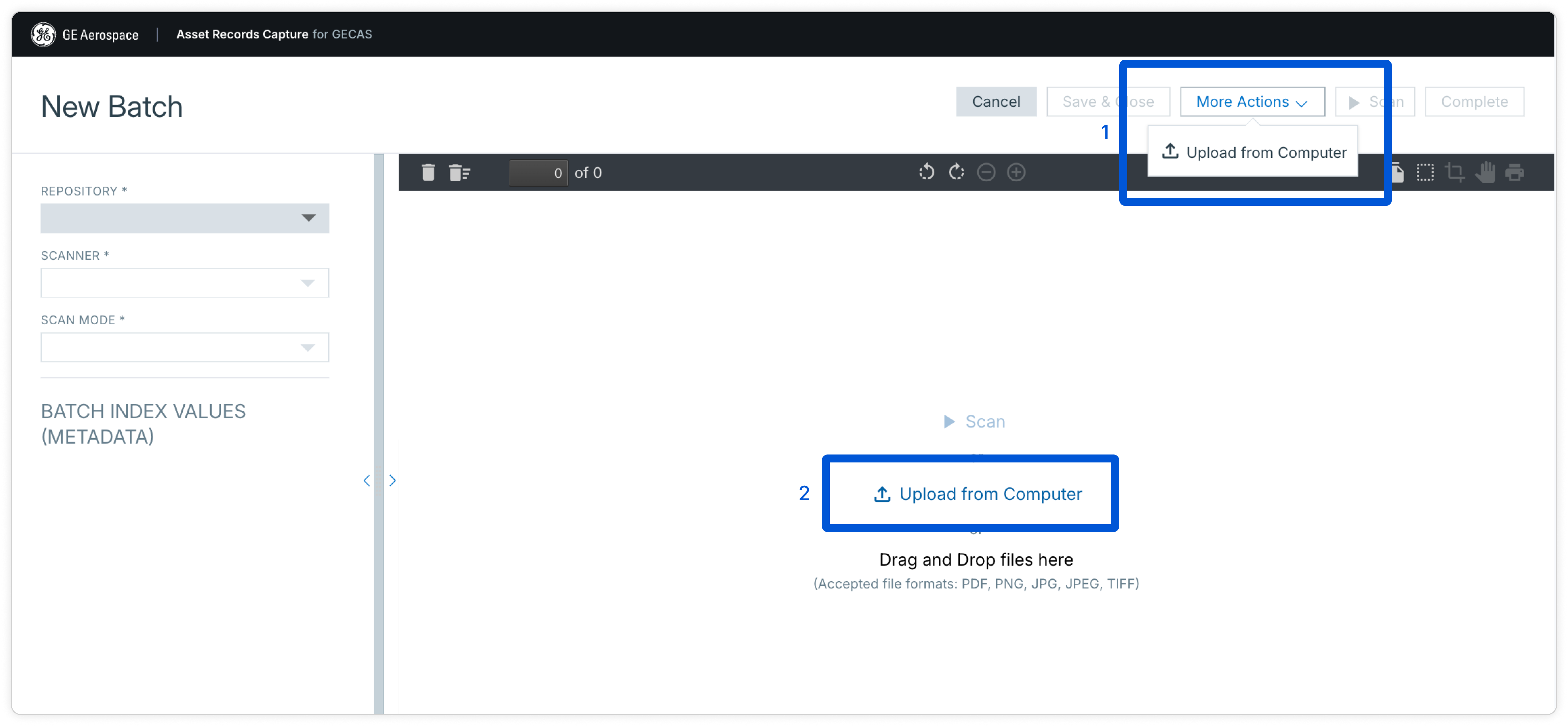
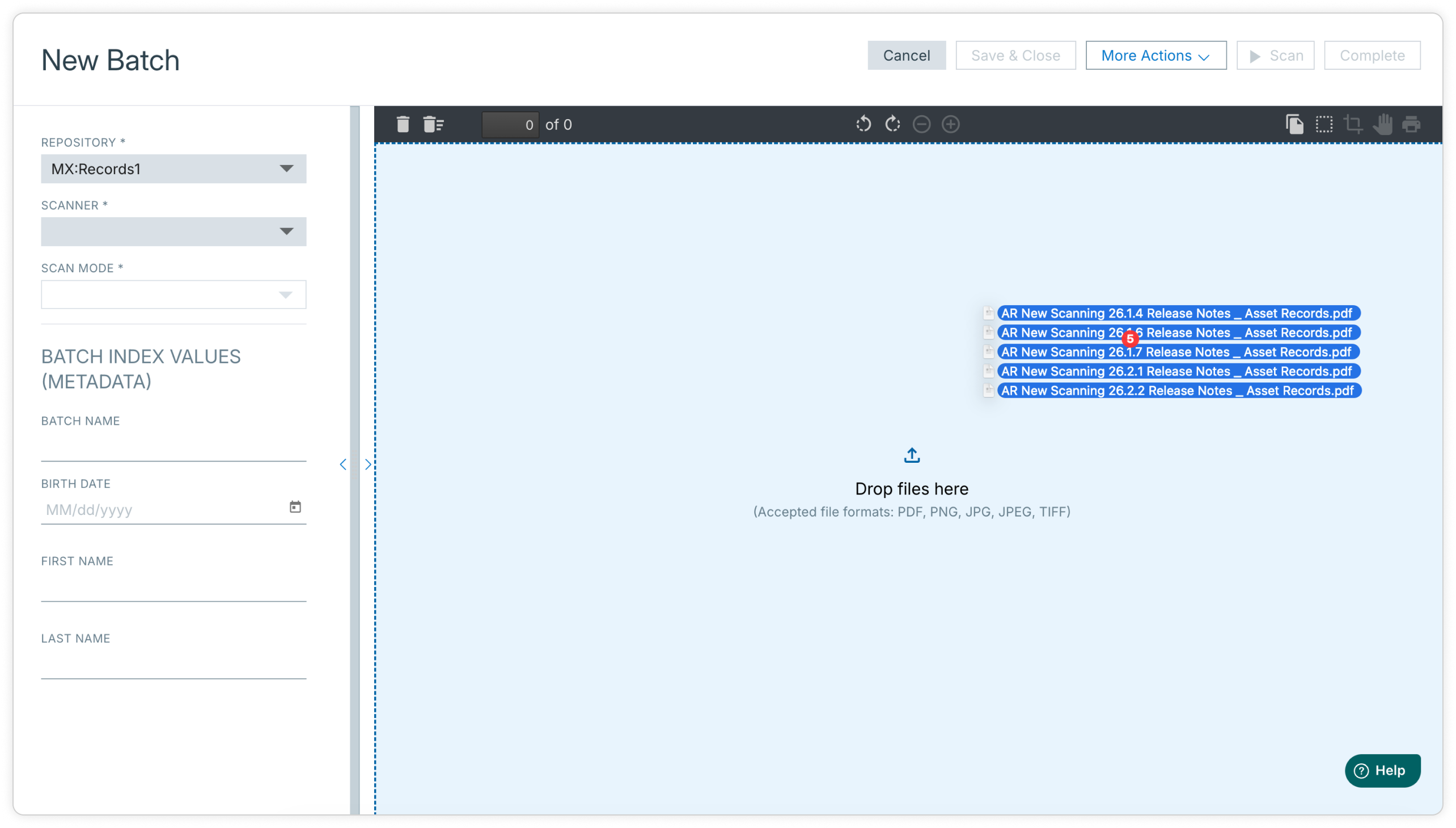
2. You can now upload digital files directly into batches by clicking Upload from Computer or Drag and Drop.
3. Added ability to download all scanned images from batch pages
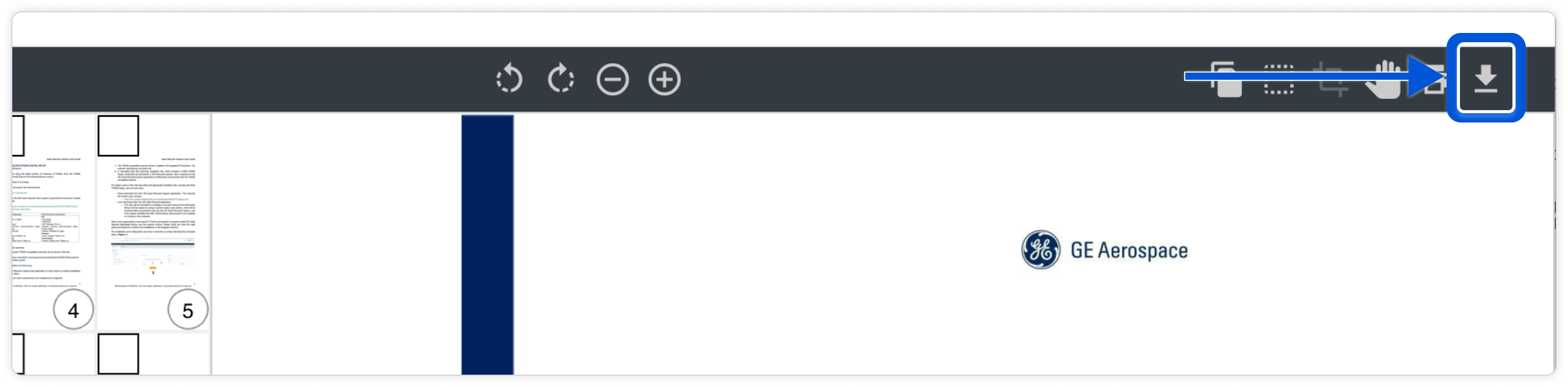
Users can now download all scanned images directly from from a batch to their computer for easier access and review, regardless of batch status.
The download functionality can also help users recover images from failed batches, reducing the need to rescan paperwork.
4. Thumbnail drag-and-drop now auto-scrolls while moving pages
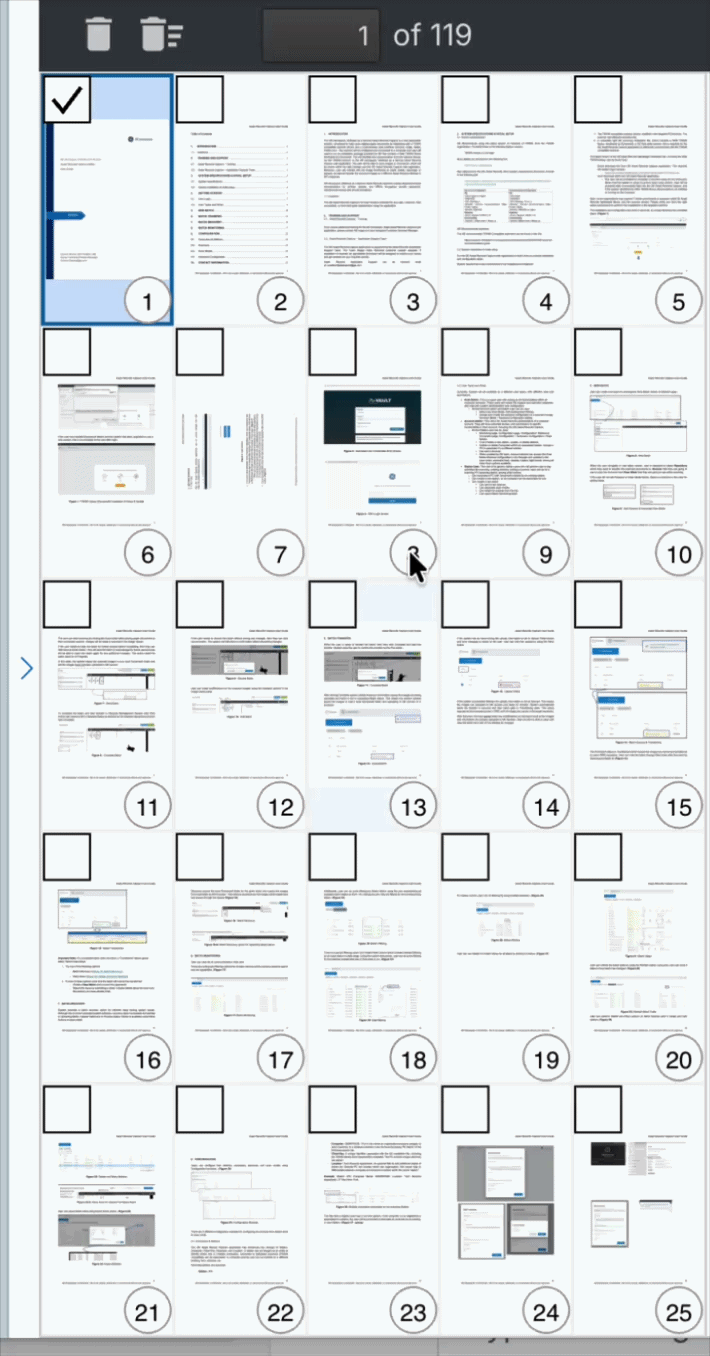
When users drag a page thumbnail up or down in the thumbnail panel, the list now auto-scrolls up and down instead of requiring users to keep dragging while manually using the mouse scroll wheel. This makes page reordering easier.
5. Added ability to Duplicate and Edit for the transferred batches to make corrections


Users are now able to create a duplicate of a transferred batch, make corrections on it and re-transfer as a new batch to RMS/ATS. The duplicated batch are shown with -Corrected-<OriginalBatchID> at the end.

The part highlighted with yellow shows the original batch ID that this batch is duplicated from.
Was this article helpful?
That’s Great!
Thank you for your feedback
Sorry! We couldn't be helpful
Thank you for your feedback
Feedback sent
We appreciate your effort and will try to fix the article